

Academy Onboarding
Moving live onboarding into HubSpot Academy, and tripling workshop attendance.
Role
Sole Senior Product Designer on this project, leading the E2E design process, collaborating with the PM and Engineering team.
I was responsible for gathering requirements, discovery, conducting user research, and creating all design deliverables.
Tools & Platform
My primary tool was Figma, used for design and Figjam for discovery. ChatGPT, Claude and Loveable were used in the design process for brainstorming, rapid ideation and inspiration.
Amplitude was used to gather analytics.
The project focused on developing a responsive web application.
Project Length
This project lasted 3 months from brief to delivery.
Another 2 months for post MVP features.
Problem
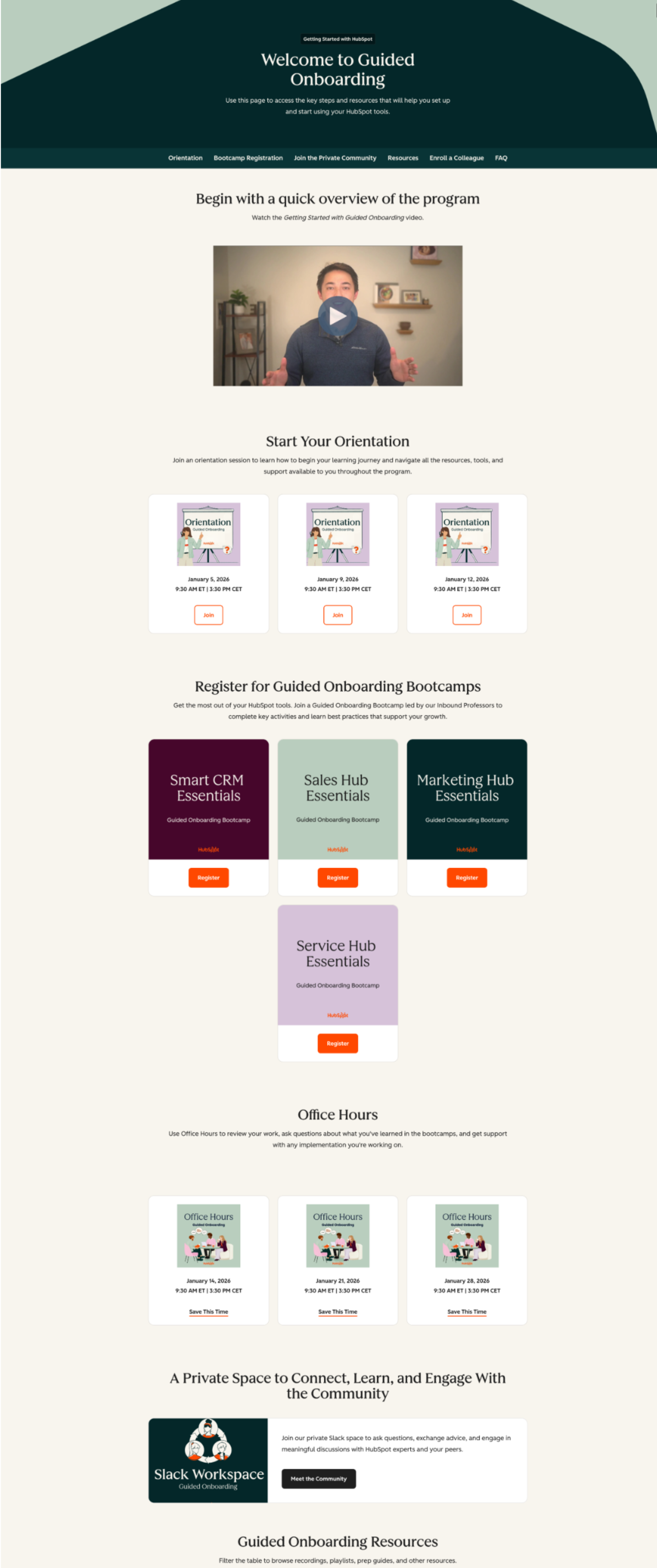
1:1 onboarding can’t reach every customer
Smaller Pro+ customers are HubSpot’s fastest-growing group, with little time and declining renewal rates. A Customer Success Manager for each one can’t scale.
Many new customers onboard without a CSM
Self-service resources weren’t enough alone
Live workshops scaled, but few attended
We needed a model that reaches everyone
Research
We researched from four angles:
Journey audit
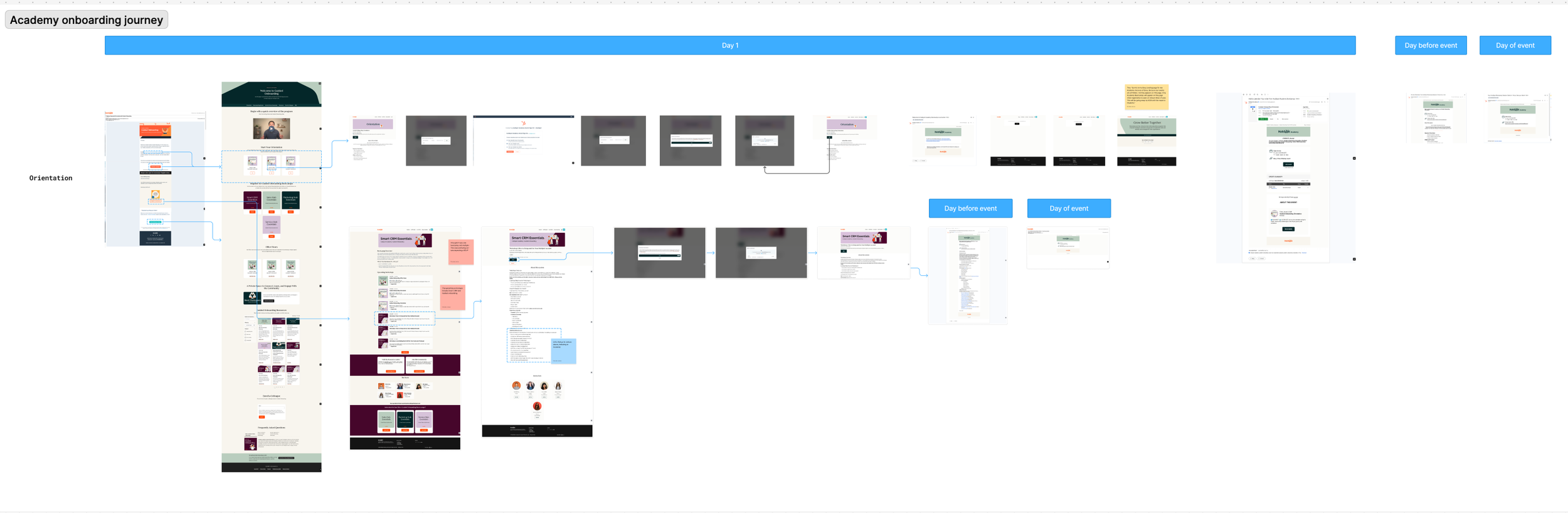
I went through the journey myself, as if I was a new customer looking for support, then mapped every step to workshop day.
Survey
Created and sent out a survey to 80 eligible customers before and after they attended a workshop
Customer interviews
Planned and moderated five 60min interviews with customers, across four countries
Stakeholder interviews
Kickoffs with Customer Success, understood what success is, what the programme as a whole, limitations and highlights.
I mapped every step from orientation to workshop day, then tested it against what Customer Success and customers told us.
Findings
Hard to find: the resource page, signup links and recordings were hard to locate, and basic navigation needed explaining.
Personalisation: There was a lot of content, unstructured and the customers didn’t know where to start.
Live workshops: The strongest lever. Customers valued asking questions live, but few attended.
Poor engagement for on-demand content: Low start rates and almost no completion.
Over reliance on emails: Only the first email reached Admins but subsequent emails were often missed.
Awareness: Many non-admins didn’t know onboarding was offered.
2x
Increase in confidence on using the tool after attending a workshop.
Average confidence rose from 2.3 to 4.6 out of 5, and satisfaction averaged 9.7 out of 10. Based on 80 survey responses before and after sessions.
Opportunity
Awareness
How might we remind customers about the Onboarding offering and raise general awareness?
Navigation
How might we make content easy to find and recommend the best next step when time is limited?
Personalisation
How might we tailor content that is relevant for each customer?
Design
User journeys
Customers may forget onboarding, or never know their company paid for it. Email was the main route in, but customers spend their time in the software.
To reach as many as possible, I mapped where they would be, and whether they were looking for help. Some needed a prompt, others came looking.
Four doors cover those moments, and all of them lead to one hub.
We reach out
They come looking
In HubSpot software
Global Home
In app notifications
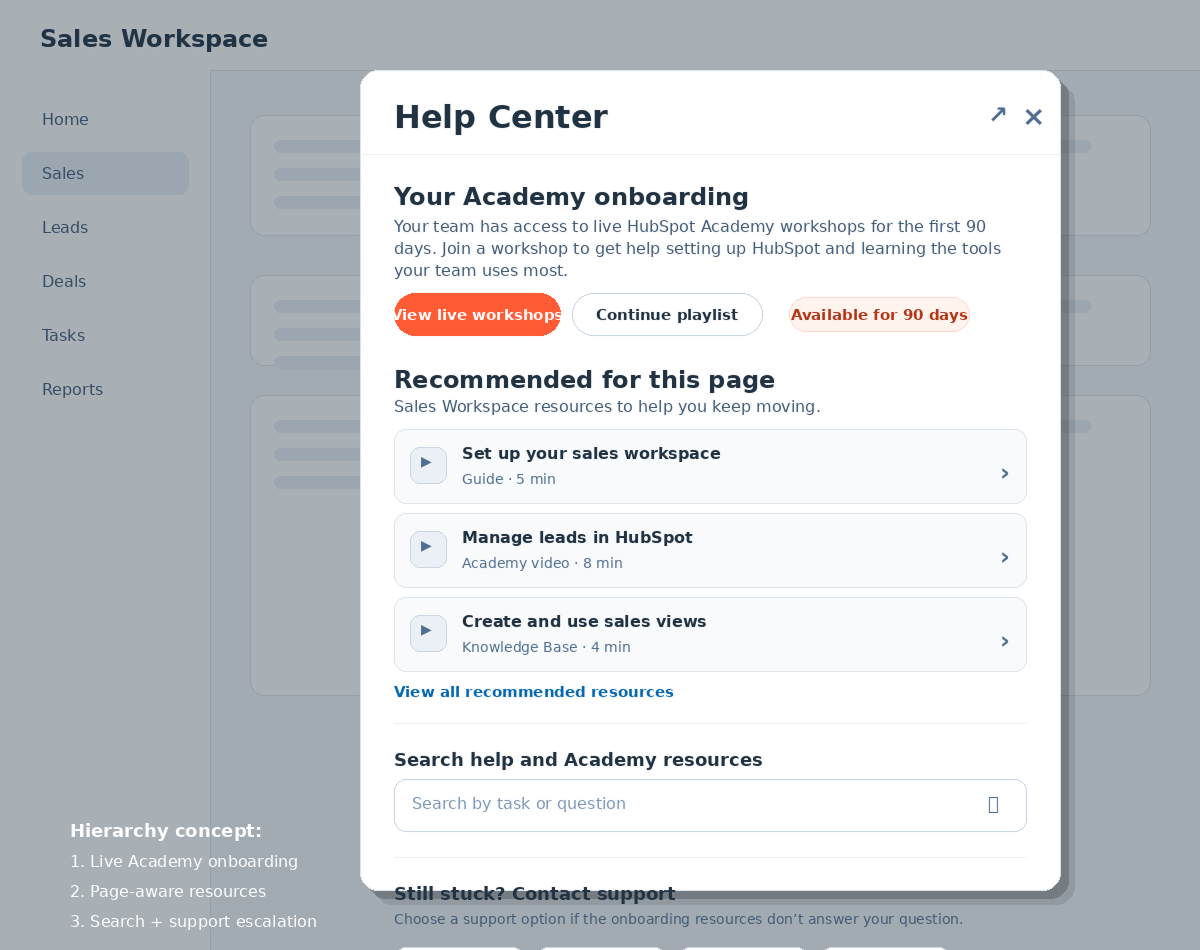
Help modal
Brainstorming
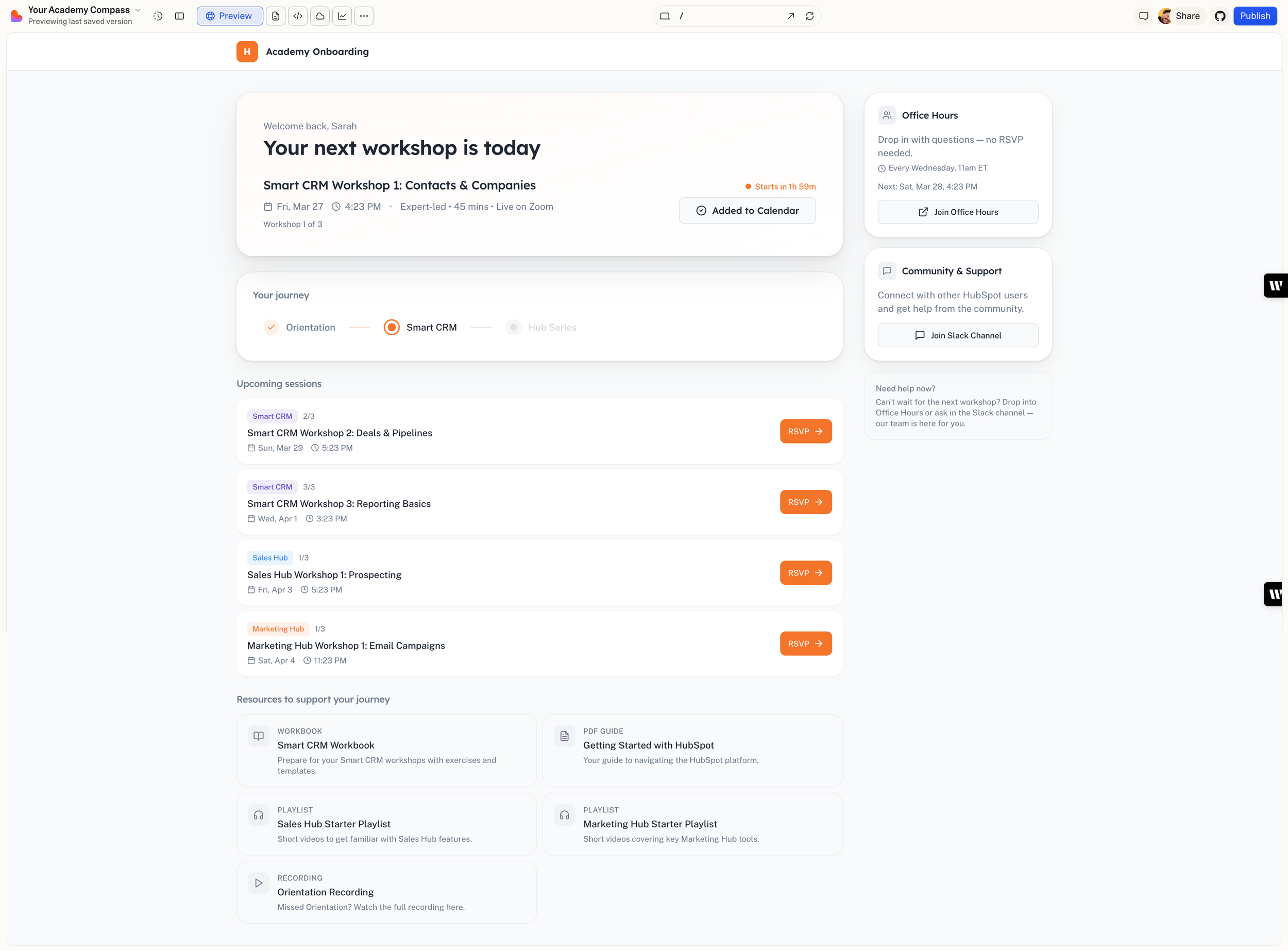
I began by creating a project in ChatGPT, supplying all relevant context and using it to brainstorm ideas and direction. From that collaboration I developed a prompt, then incorporated those elements into Loveable to generate inspiration for hierarchy and layout across different touchpoints.
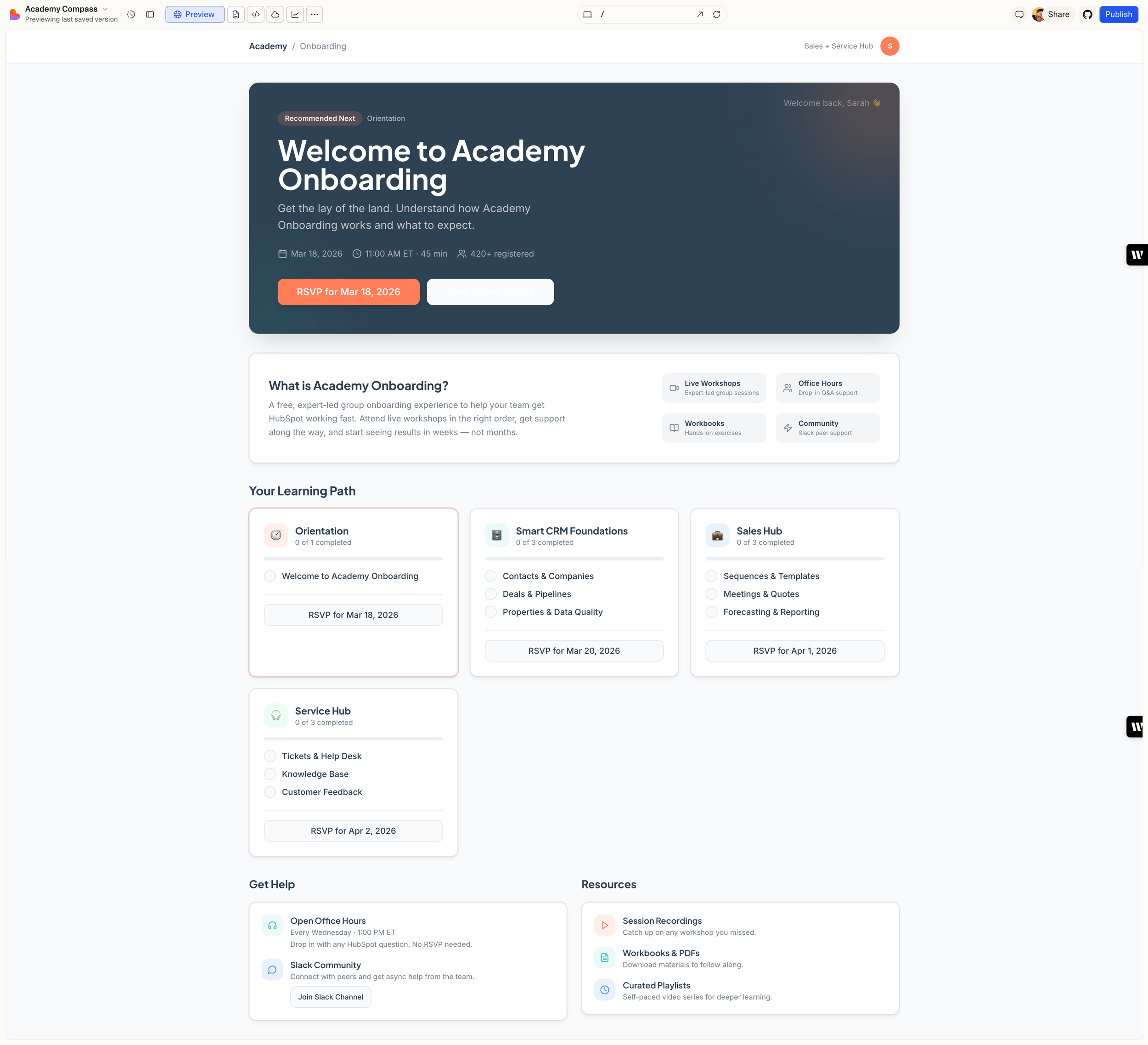
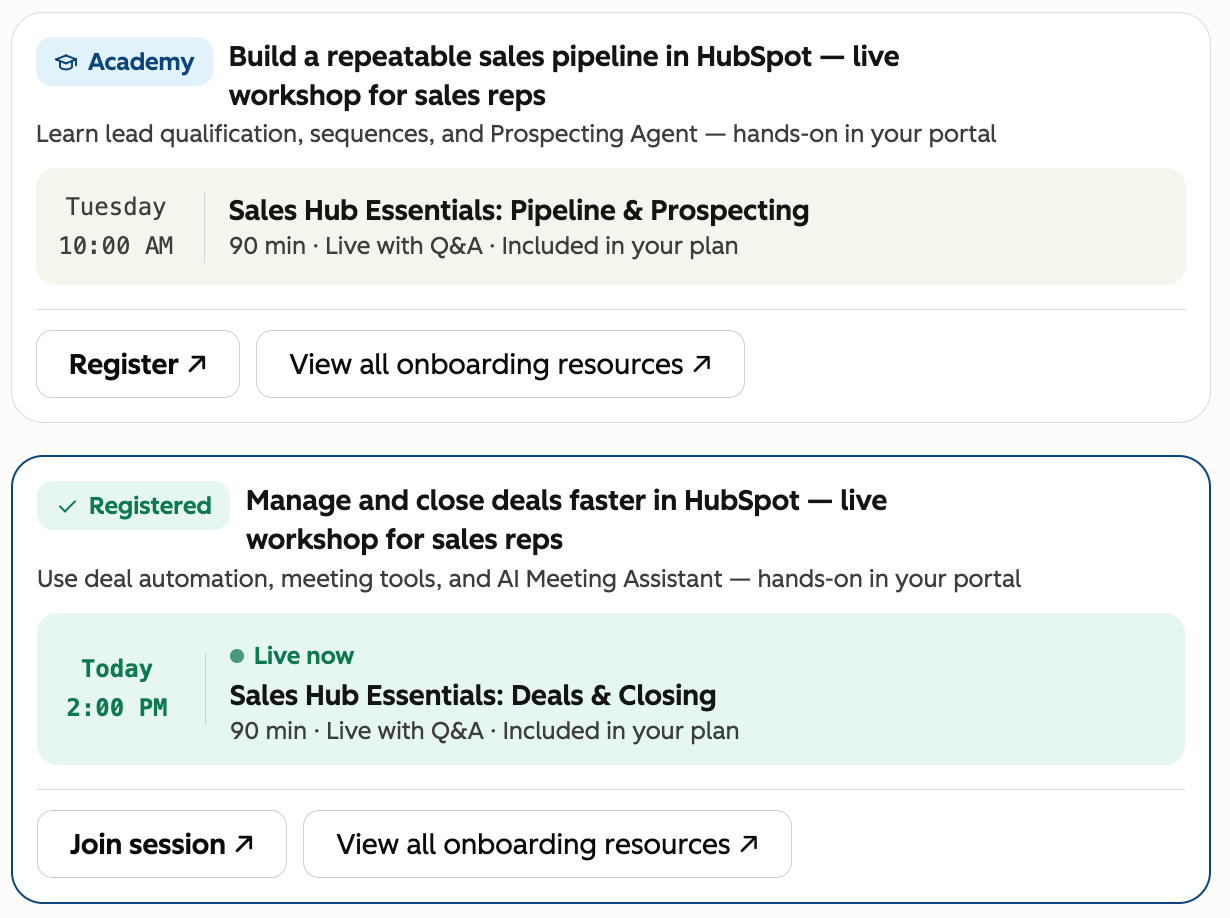
After brainstorming with ChatGPT and Loveable, I brought the concepts into Figma, applied our design-system components, and continued exploring additional ideas.
In Academy
Next step recommendations
Search
Academy Home
Playlists
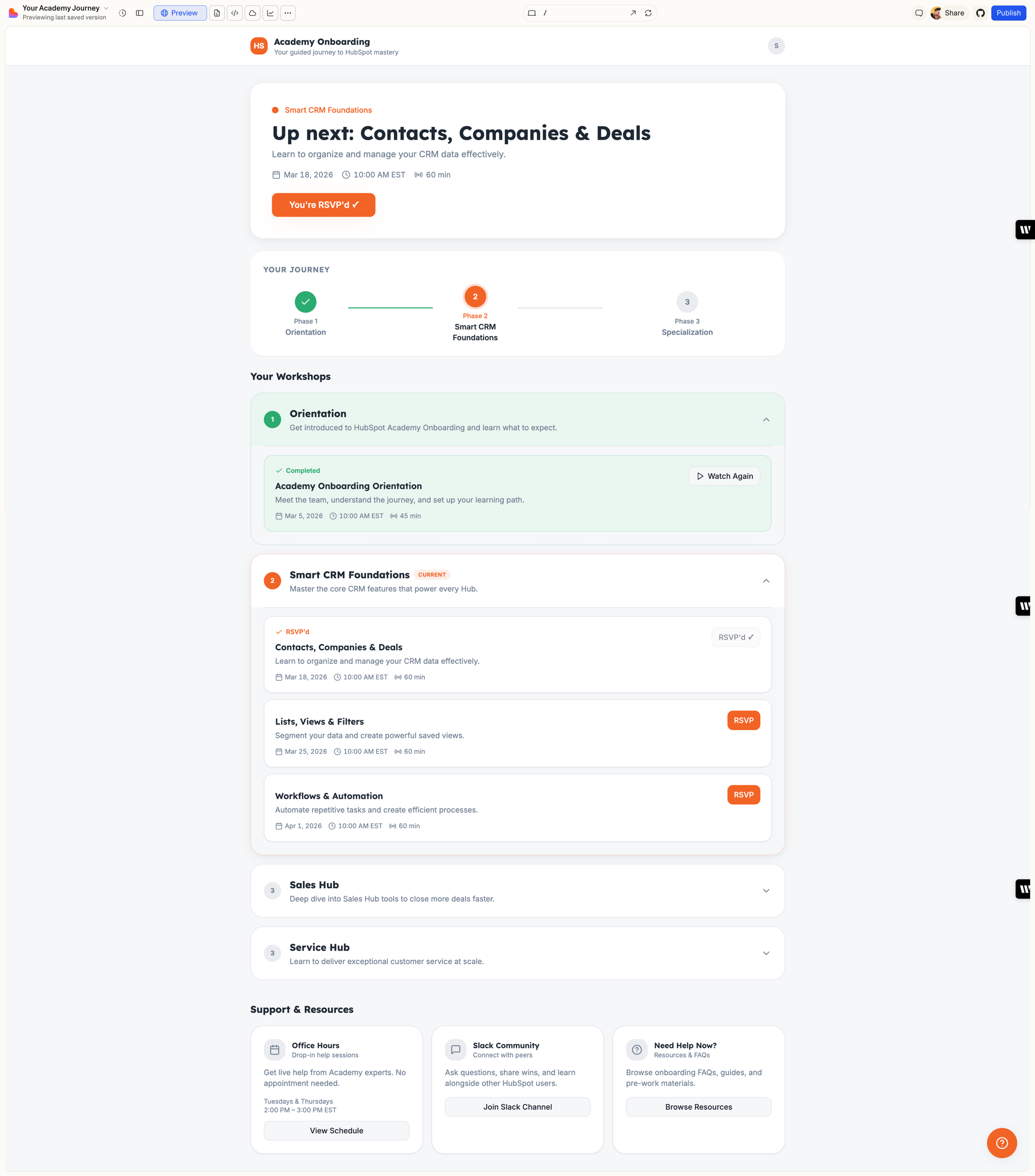
Visual design, continued iterations


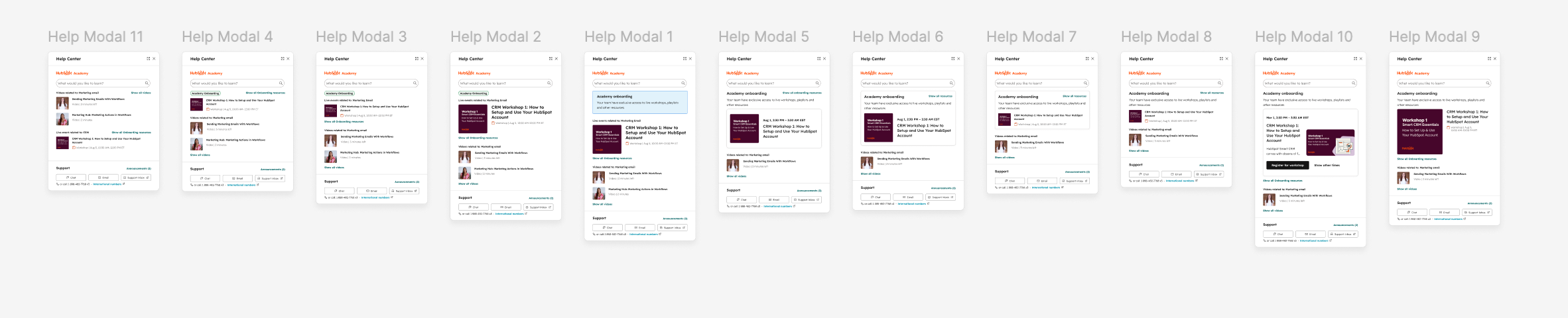

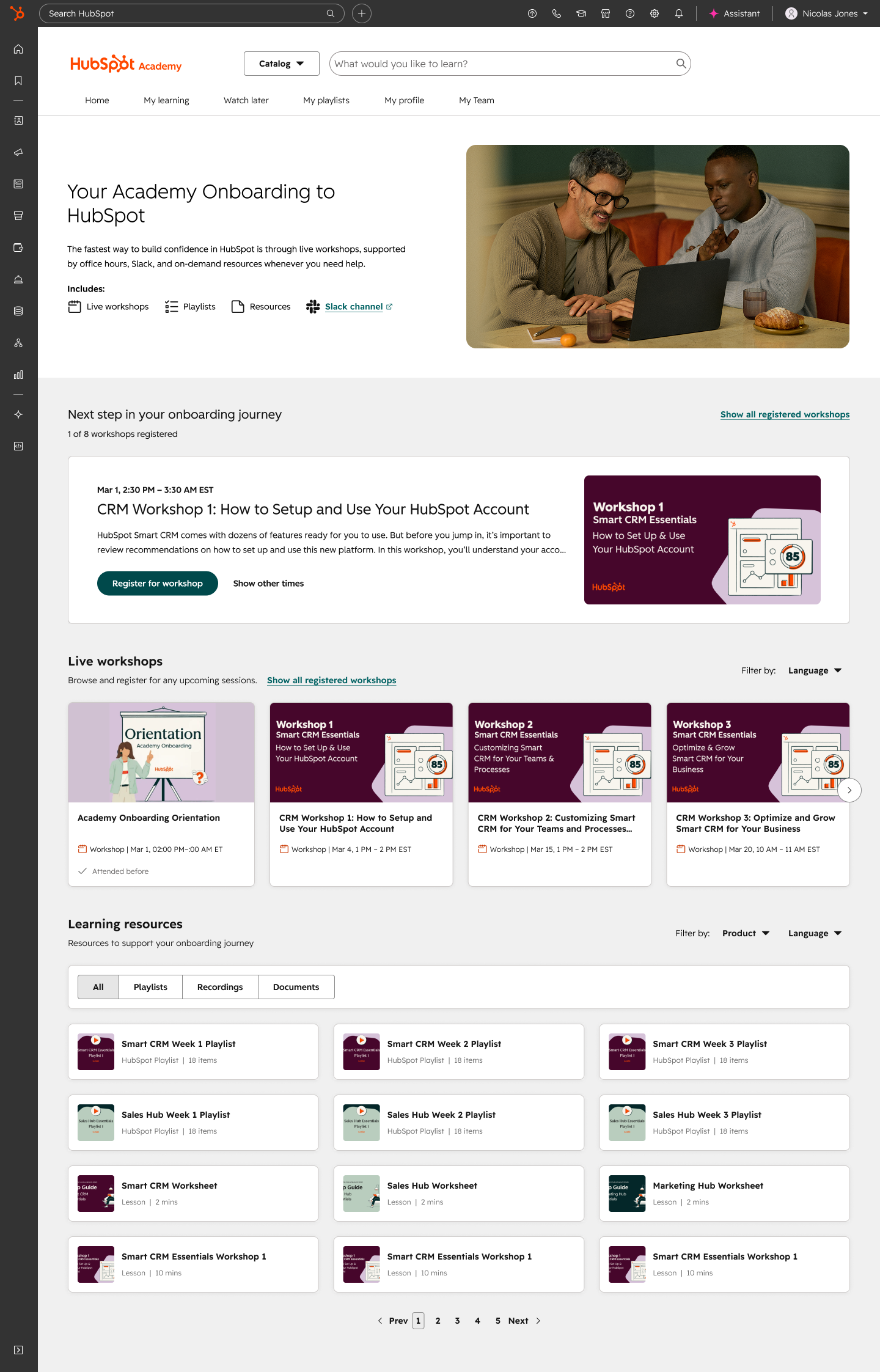
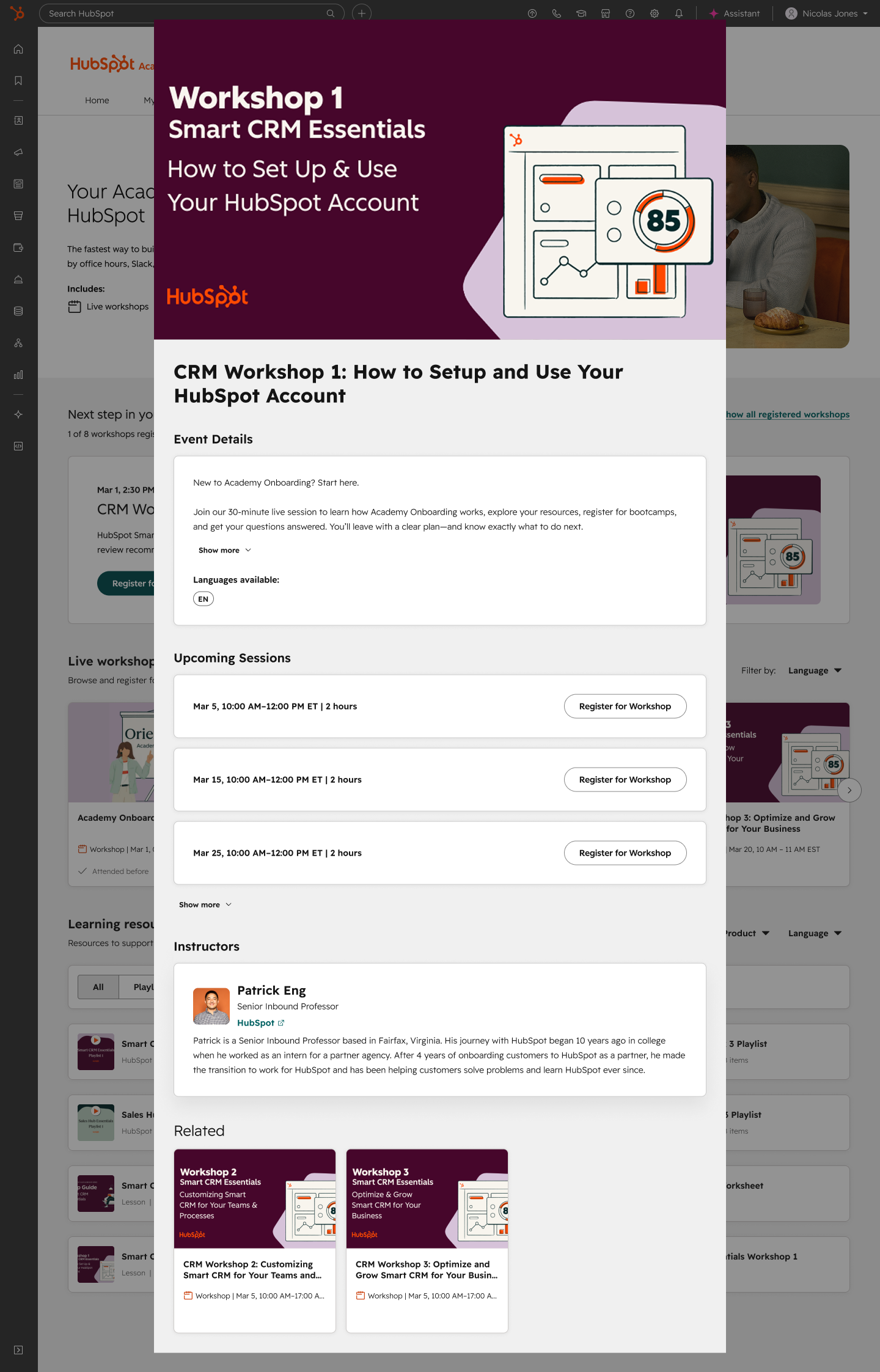
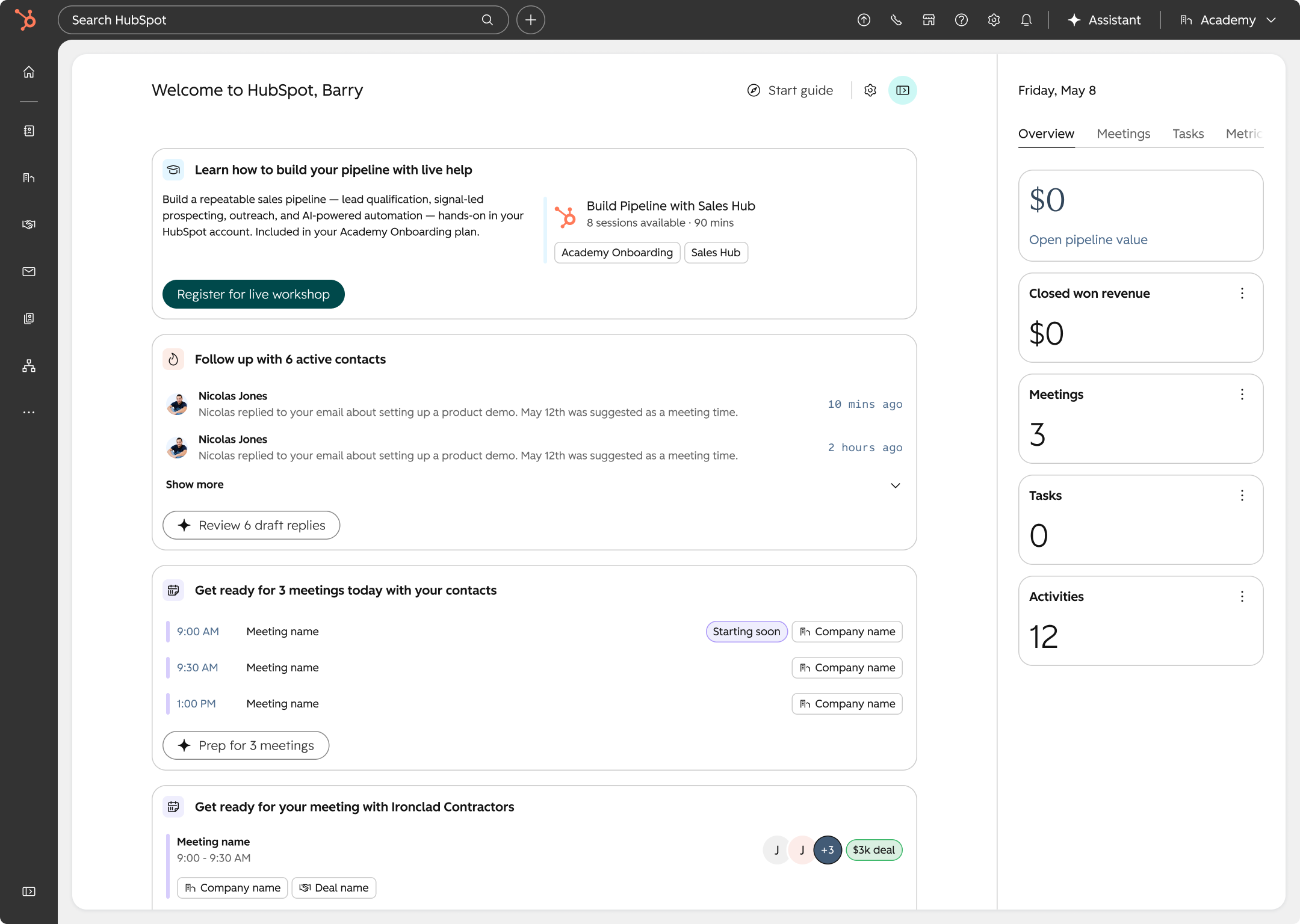
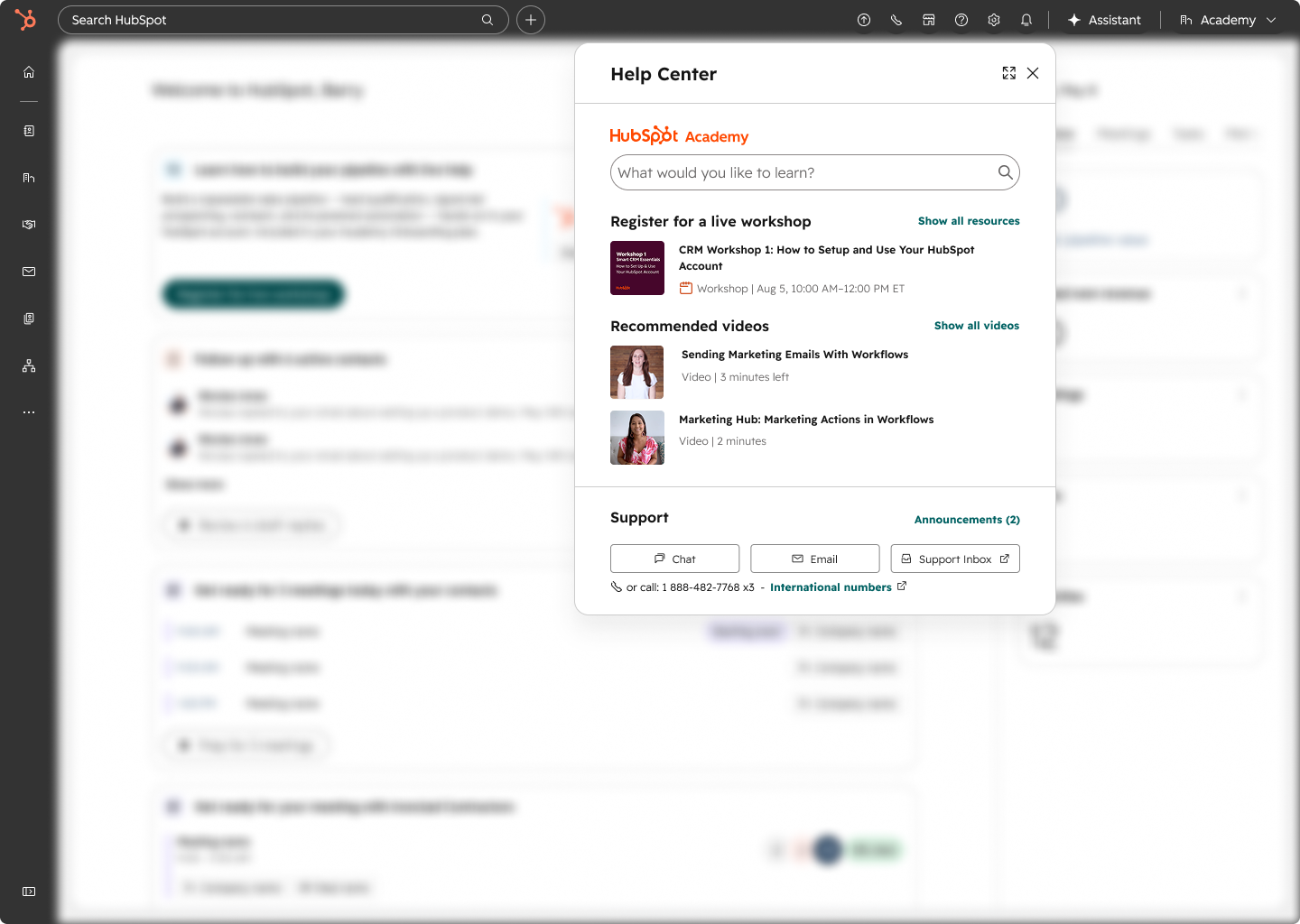
These are the main touchpoints, with a number of others spread out throughout the product. These were all design responsively, utilising the HubSpot Design System.
Final design
Working with the product manager, we narrowed the concepts to our preferred options and reviewed them with programme stakeholders, customer success, and the programme team to gather feedback and input.
Landing page
Dedicated landing page with all resources, hierarchy layout based on importance and impact to guide the user within Academy.
Personalised section with recommended live workshops to attend next.
All live workshops, regardless of plan or language, to aid discovery and exploration.
All other resources, with easy navigation to find exactly what you need.
Workshop details
Multiple sessions in one place, to manage registrations.
Details about the event, including instructors and other relevant content.
Dynamic statuses so the user always knows whats next, if they have attended before and how to join when the event is about to start.
Catering to 5 different states: Not registered, registered, live now, past, and attended. Each telling customers what to do next.
Global Home
Customers land on Global Home after setting up the product, so onboarding shows up before they go looking.
Personalised list of onboarding materials on HubSpot’s homepage, with a quick CTA to register for a workshop.
Personalised to your specific language and features available to you.
Quick access to join workshop before it starts.
Making it accessible without leaving their flow.
Global Help
Accessible and personalised help, wherever you are
Letting customers register without leaving their flow.
Personalised to your specific language and features available to you.
Quick access to join workshop before it starts.
Results
44%
Visitors who register
Up from 35%
70%
Attendance rate
Up from 59%
41%
Deeper Academy usage
Customers using Academy 3 to 9 times a month, up from 27%
Attendance reached 3x by month three
Next steps
Increase types of onboarding content e.g. small group coaching
Offer support for more languages
Create skills to go into the company’s assistant to surface when needed